
Josué owns a small fleet of several taxis. Every evening, the drivers hand him the day's takings — one of them once handed him 12,000 F explaining that "it was quiet, because of the rain." Josué has no way to check whether that's true, or to know whether TAXI-01 actually brings in more or less than the other vehicles over time.
He decides to record every handover and every expense, vehicle by vehicle, in zBilling.net. Every time money comes in or goes out, the app asks for only three pieces of information. The payee is the key to the system: it's what lets you group together, at any time, all the takings and all the expenses of a given vehicle.
Create your workspace
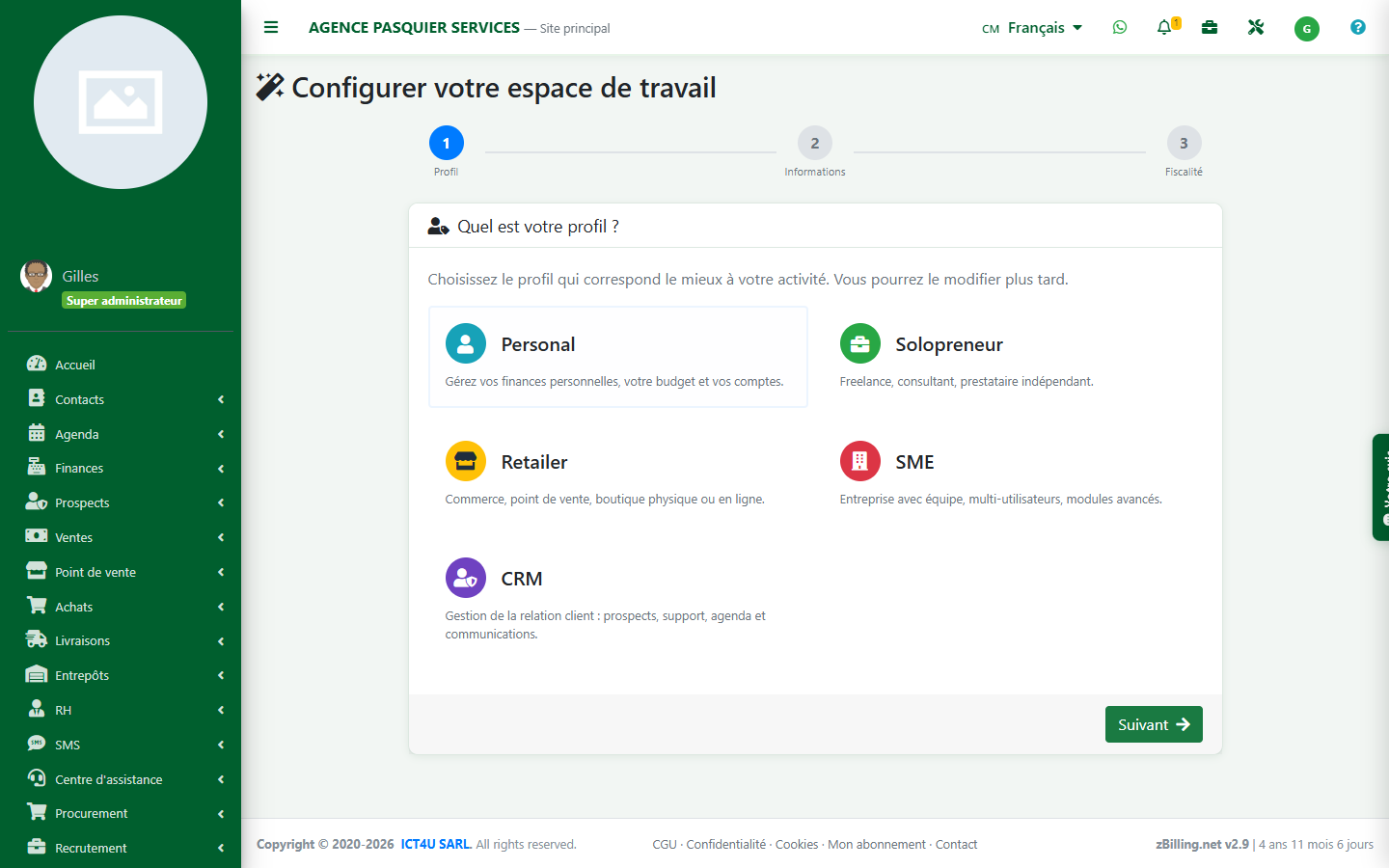
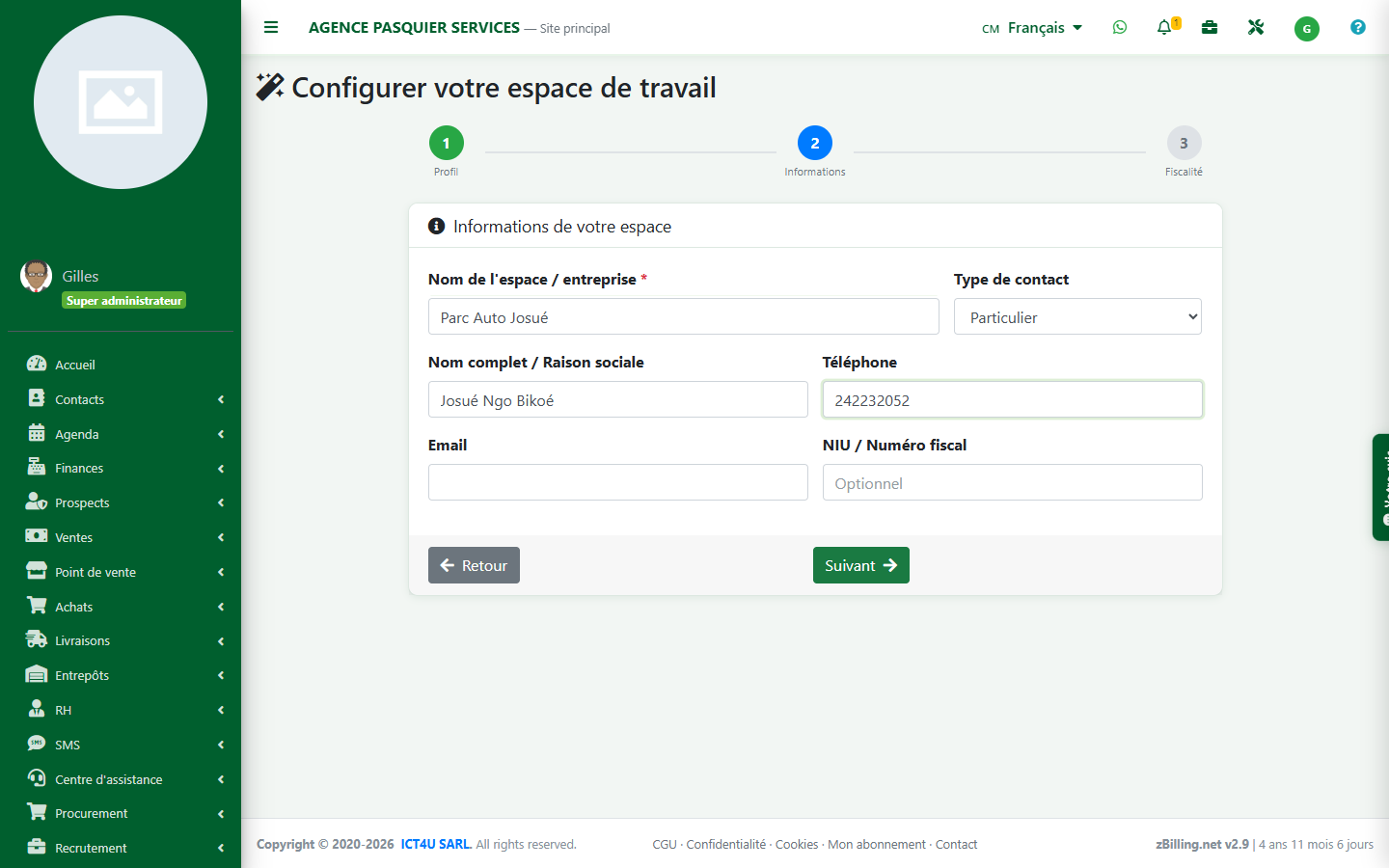
The first time you access it, the setup wizard asks for the type of activity. For personal use — tracking your own fleet, without invoicing or a team — the profile Personal is enough: it only opens Contacts, Calendar and Finance, without the rest of the business modules.
Create your money accounts
Create one account per real pocket of money — a cash account, and possibly a mobile payment account if you collect payments via Orange Money or MTN MoMo. Leave the Cashier field set to "Myself".
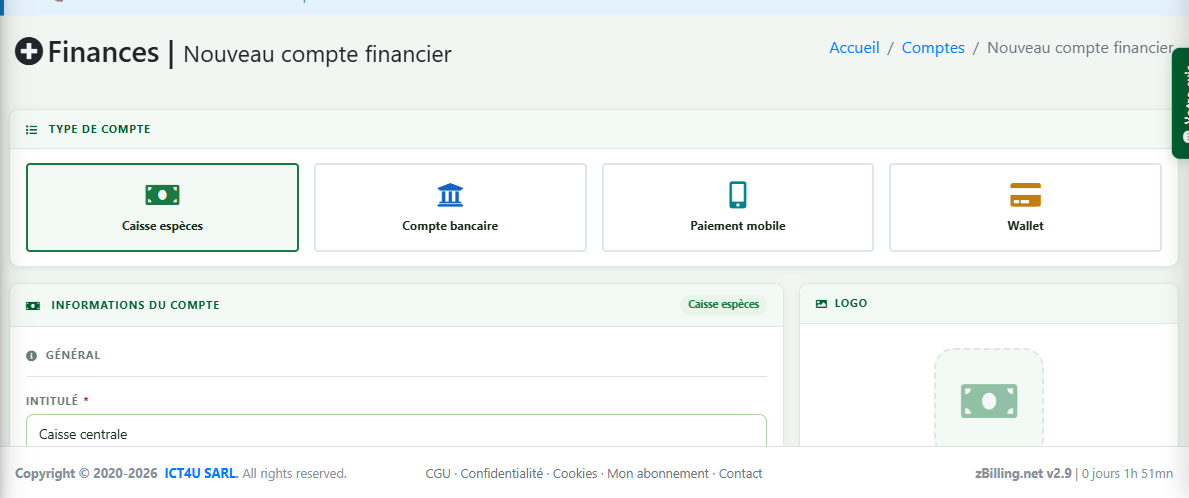
Don't create one account per taxi. An account represents money that physically exists somewhere. Tracking by vehicle is done through the payee, in the next step.
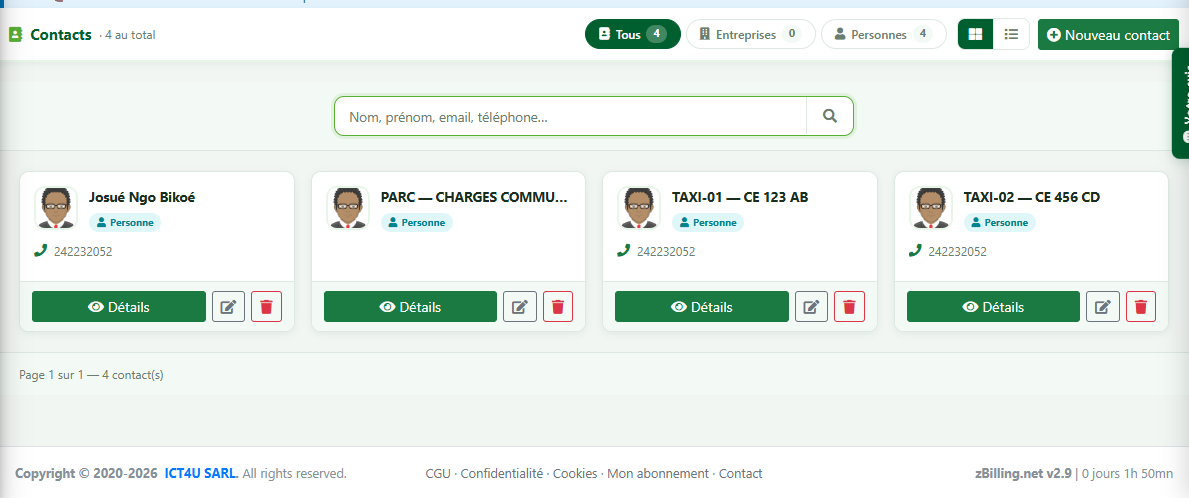
Create one contact per taxi
| Field | What to enter |
|---|---|
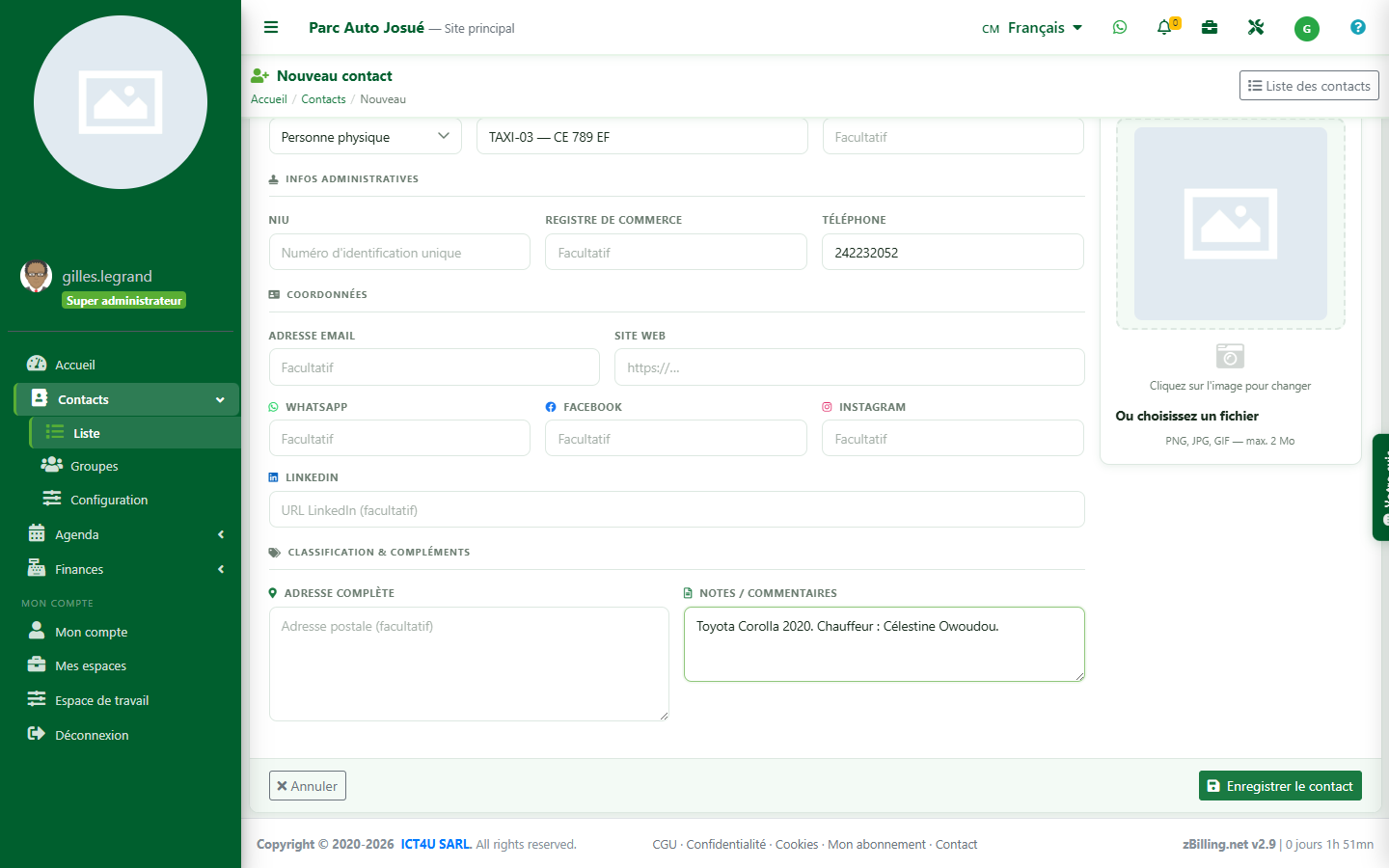
| Name(s) | TAXI-01 — CE 123 AB (sequence number + plate) |
| Phone | the phone number of the driver on duty |
| Note | model, year, purchase date, driver's name |
Number your vehicles (TAXI-01, TAXI-02…) — they'll stay grouped and in order in every dropdown list. Also create a contact PARC — CHARGES COMMUNES, that will receive expenses that can't be tied to a specific vehicle (business license, office costs).
Tip — no need to go through the Contacts module: in the transaction entry form, type a name that doesn't exist yet in the Partner field, and the contact creation window opens automatically, pre-filled.
Record an income entry
A driver's daily handover, as Income :
| Field | Value |
|---|---|
| Operation | Income |
| Label | Versement journalier |
| Amount | 12 000 |
| Category | RECETTE TAXI |
| Partner | TAXI-01 — CE 123 AB |
| Note | Chauffeur : Achille Mbarga |
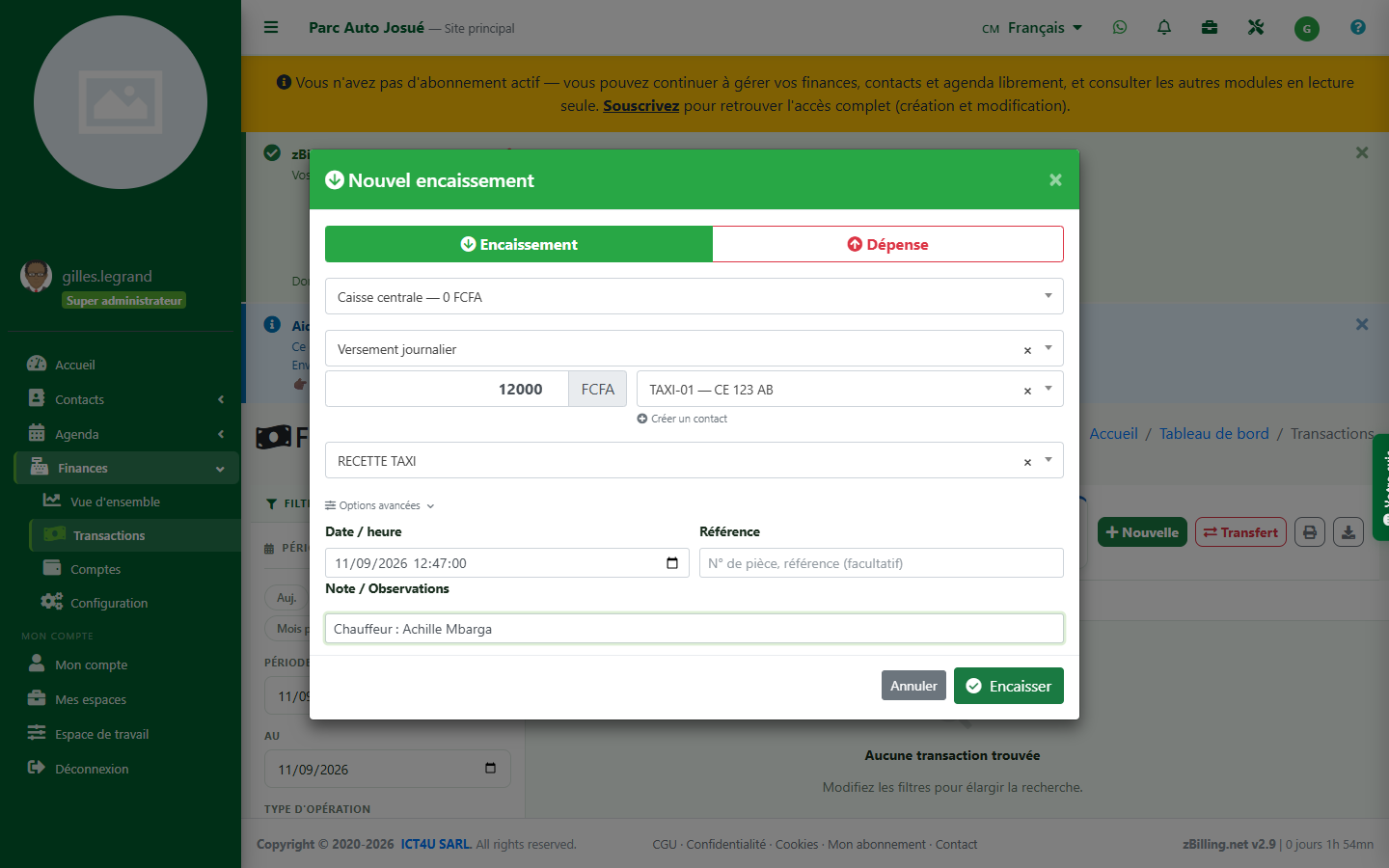
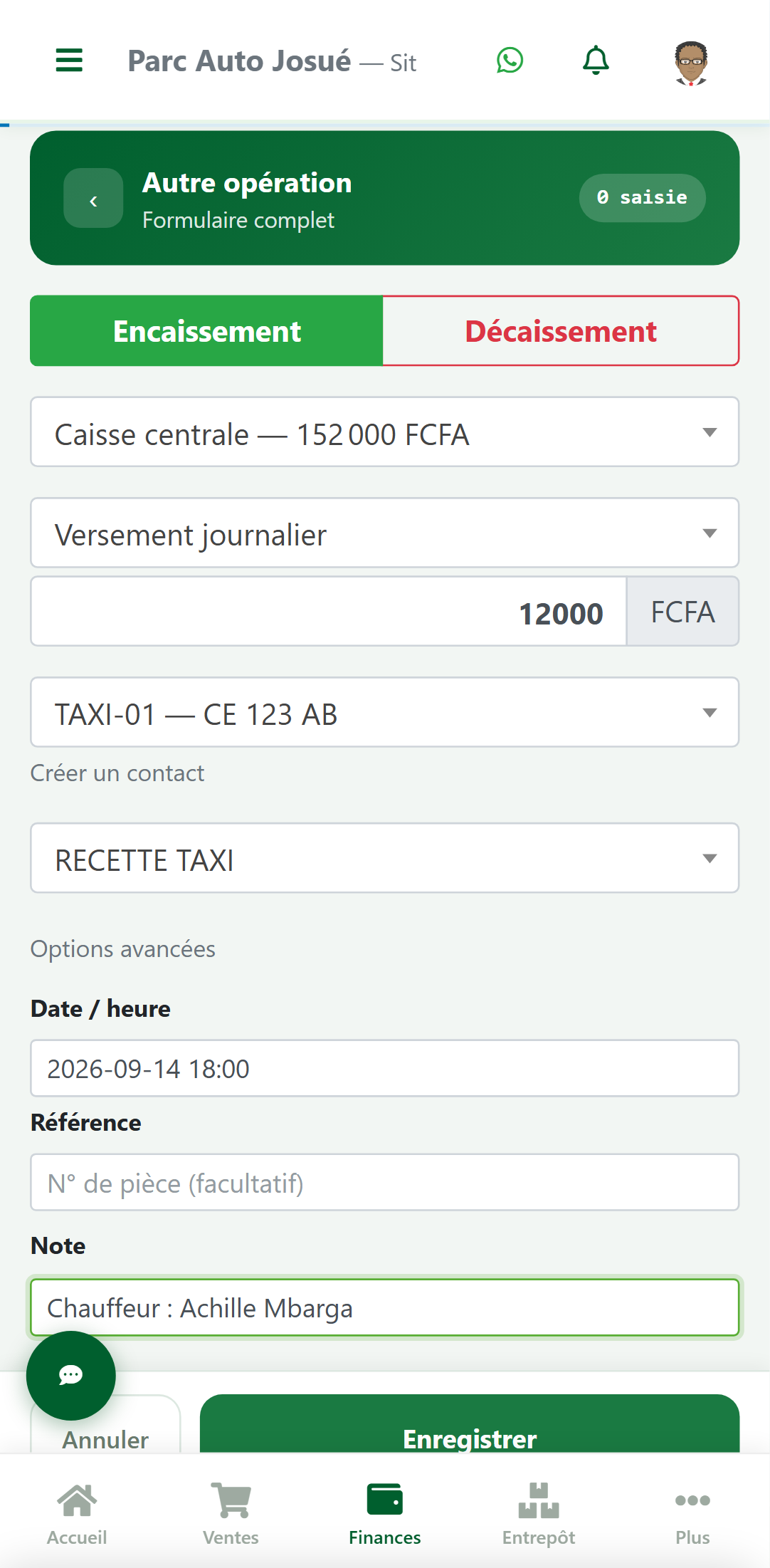
From the second entry onward, the label and category are suggested automatically: the daily routine comes down to choosing the taxi and typing the amount.
Record an expense entry
Same screen, switch to Expense :
| Field | Value |
|---|---|
| Operation | Expense |
| Label | Plein 20 L |
| Amount | 15 000 |
| Category | CARBURANT |
| Partner | TAXI-01 — CE 123 AB |
| Note | Station Total Akwa |
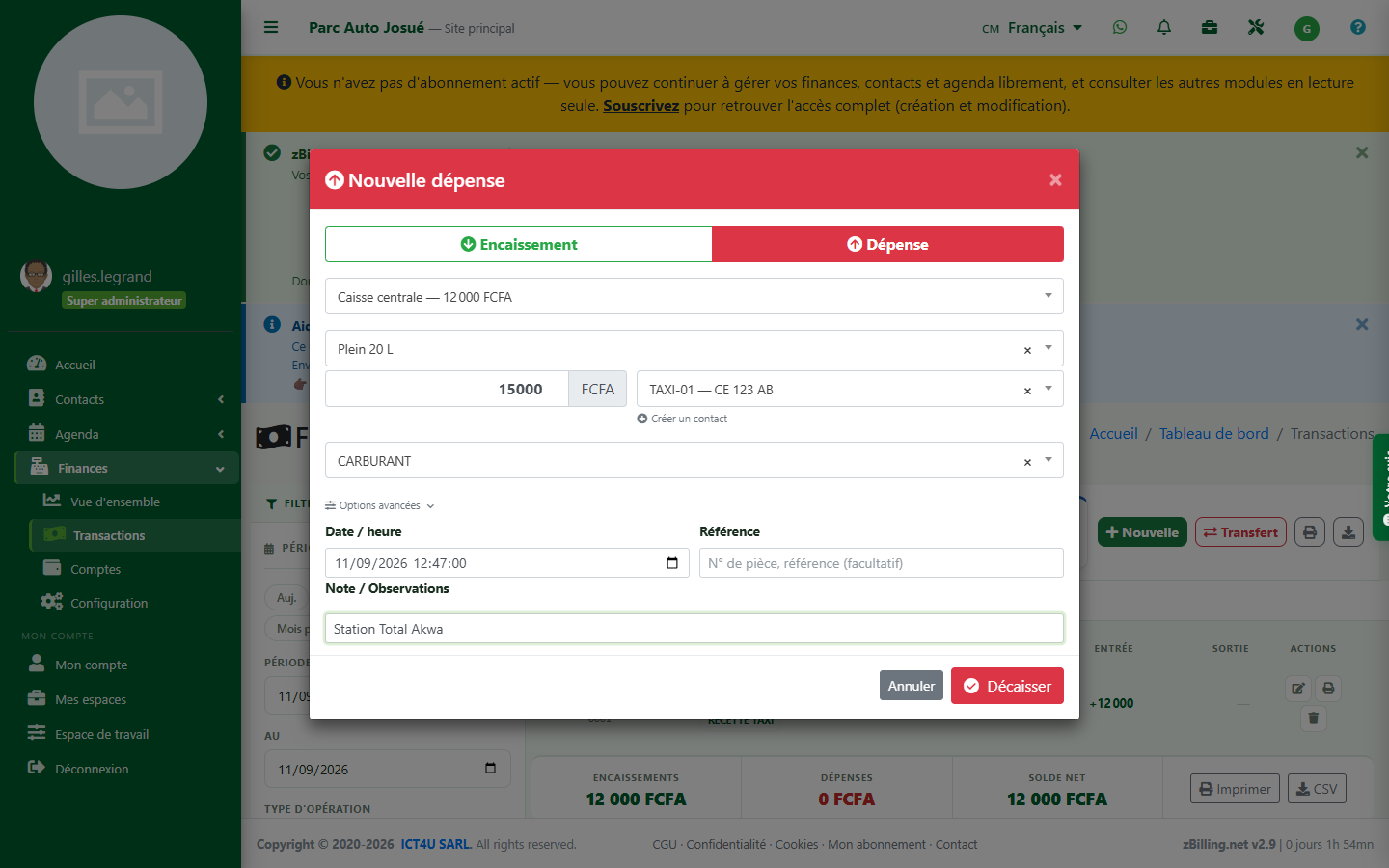
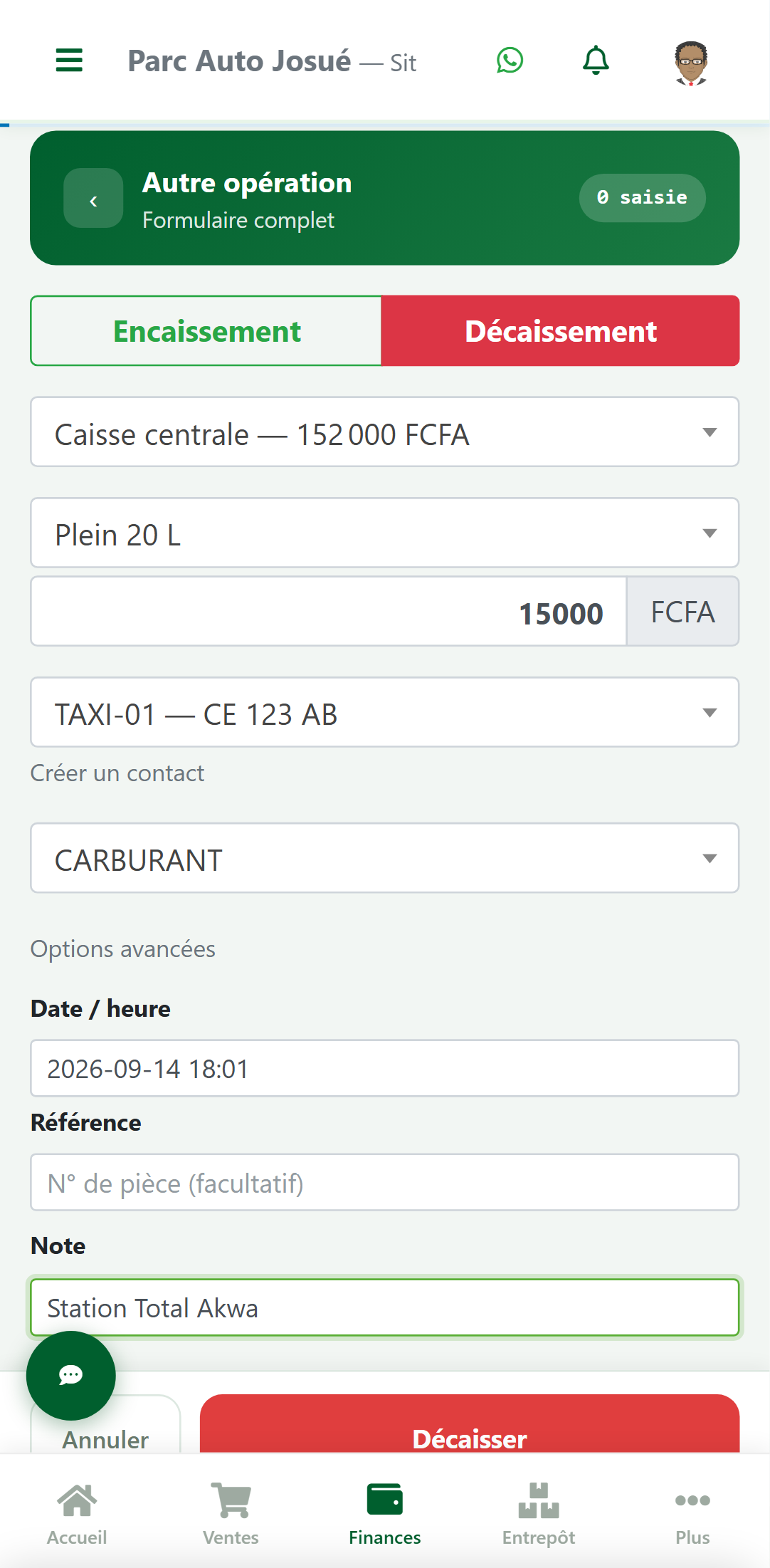
The partner for an expense is the taxi in question, never the mechanic or the gas station. This is what lets you tie the expense to the right vehicle — the supplier goes in the label or the note.
Income
- RECETTE TAXIdriver's daily handover
- AUTRE RECETTEspecial rides, day rental
Expenses
- CARBURANTpetrol, diesel
- ENTRETIENoil change, washing, labor
- PIECEStires, battery, spare parts
- DOCUMENTSinsurance, technical inspection, business license
- AMENDEStraffic fines, towing/impound fees
- CHAUFFEURsalary, bonus, advance
- CHARGES COMMUNESfleet expenses, not tied to a specific vehicle
Pick a short list and stick to it: the spelling must be identical from one entry to the next for totals to stay accurate.
Know what a taxi brings in
In the filters panel : Quick period → This month (the screen opens by default on just the current day), then Payee → TAXI-01.
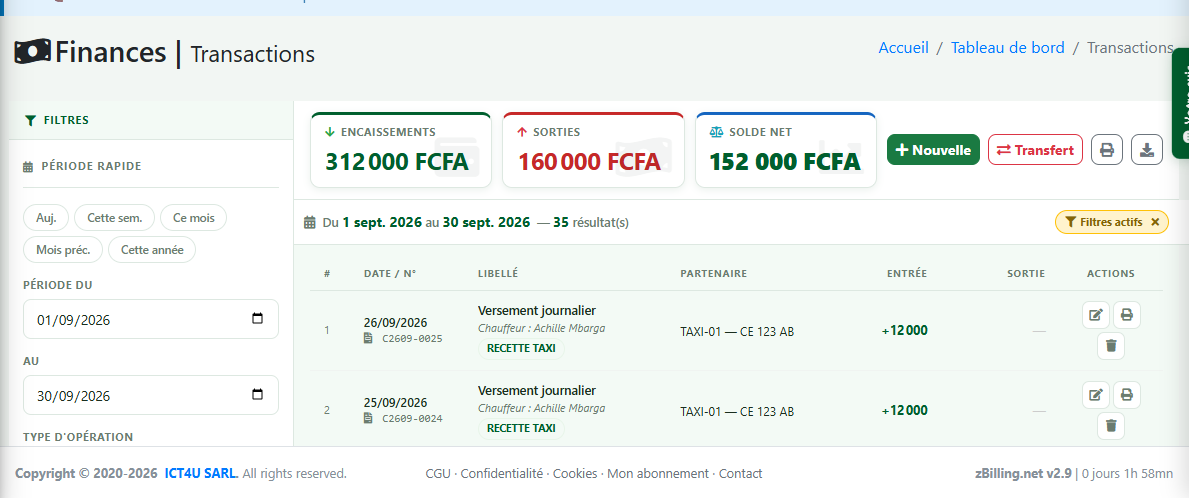
The indicators at the top of the screen answer directly : this taxi brought in 152,000 F this month.
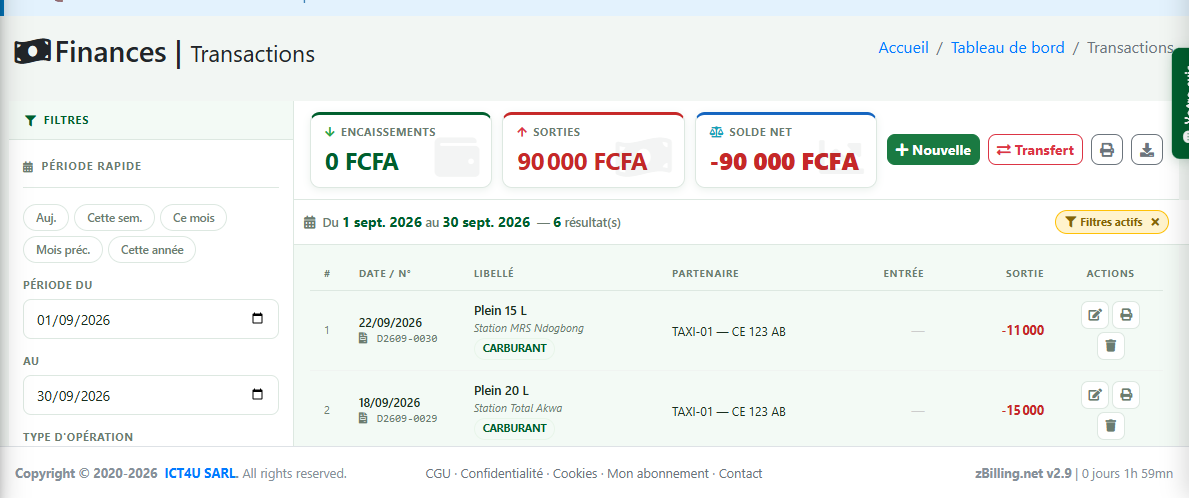
Understanding the detailAdd the filter Categories to answer "why is this one expensive?"
There isn't yet a screen that ranks vehicles against each other. For the full comparison table: select the period without filtering on a payee, click Export — the CSV contains a column Partner — then build a pivot table (Partner in rows, Income/Expense in values) in Excel or Google Sheets.
A month of TAXI-01, by the numbers
| Line item | Detail | Amount |
|---|---|---|
| Income | RECETTE TAXI — 26 handovers of 12,000 F | 312 000 F |
| Expenses | CARBURANT — 6 fill-ups | 90 000 F |
| ENTRETIEN — oil change + brake pads | 35 000 F | |
| PIECES — one tire | 20 000 F | |
| DOCUMENTS — 1/12 of the annual insurance | 15 000 F | |
| Total expenses | 160 000 F | |
| Vehicle result | 152 000 F |
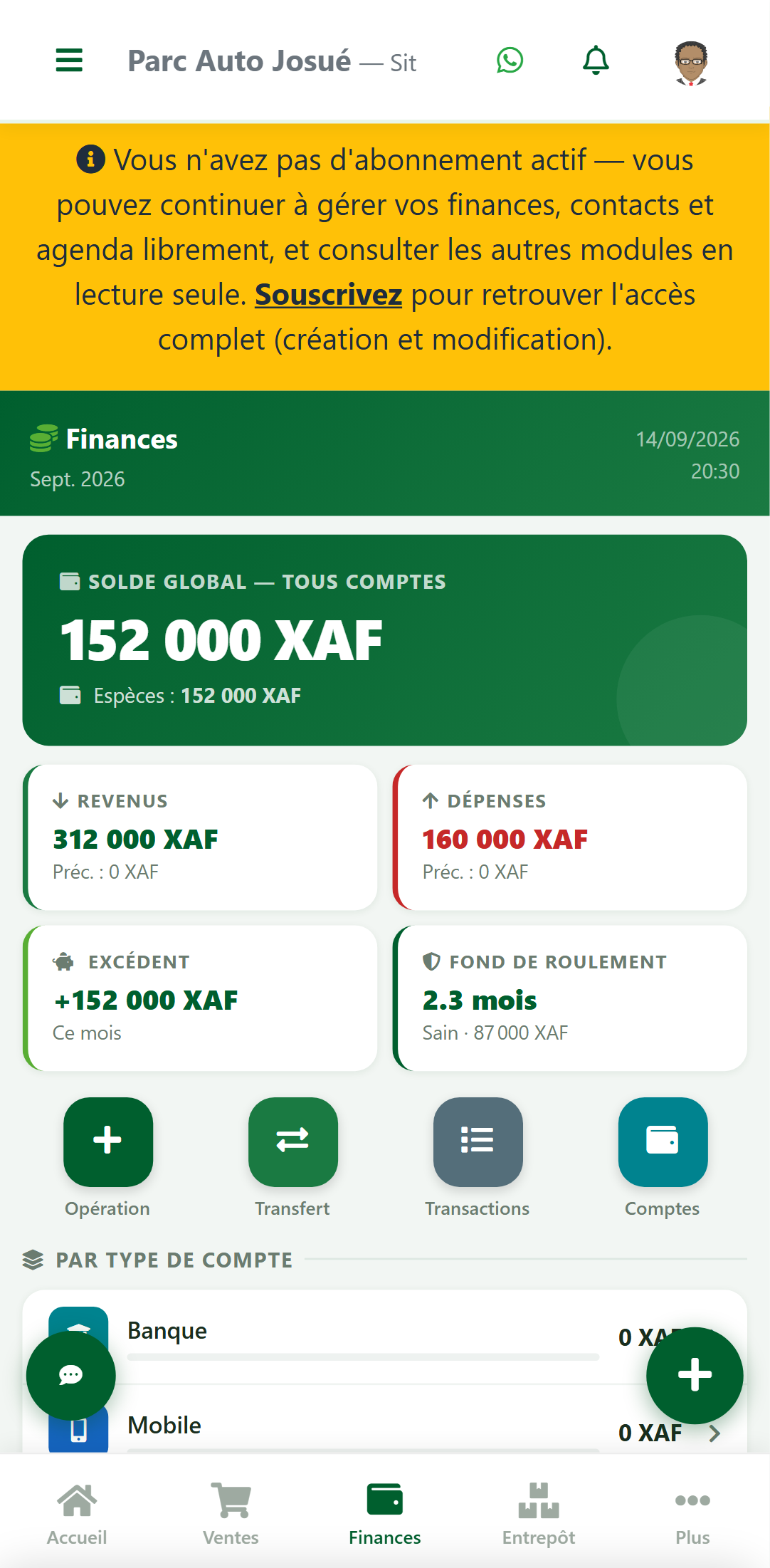
Josué most often checks these same figures from his phone, between rides — the mobile interface mirrors the Finance dashboard exactly.
And tracking the drivers?
The payee field is already taken up by the vehicle, and a transaction only accepts one. For simple tracking: always write his name in the Note of each handover, then find his whole history using the Keyword — it also searches the notes.
This lets you reconstruct what a driver has handed over. If you also need to track the daily quota or a running tab (what a driver still owes), see the variant below — it covers both without going through invoicing.
One cash account per driver
The model above (one shared account + one contact per taxi) is enough to know what each vehicle brings in. If you also need to know at any time what a driver has on hand — to check he's reached his daily quota, or to track a running tab — give him his own cash account.
This doesn't contradict the advice in step 1 ("don't create one account per taxi"): a vehicle never holds money, but a driver does, until he's handed over his takings. So an account per driver really does represent a real pocket of money.
| One cash account per driver (not per taxi) | represents the cash he physically has on hand |
| Cashier for this account | the driver himself, not you |
| The payee of each transaction | stays the taxi, as usual |
Finances → Comptes → New account, one account per driver on duty :
| Field | Value |
|---|---|
| Name | Caisse — Achille Mbarga |
| Cashier | the driver (not you) |
Setting him as the cashier of his own account is important: otherwise, every transaction he enters stays pending until you confirm it yourself (habit #3).
Use throughout the dayThe driver enters, himself, in his cash account :
- his income entries as rides happen (Operation = Income, Partner = his taxi);
- the expenses he incurs on the vehicle (fuel, tolls…), always with the taxi as partner.
The balance of his cash account tells him at any time what he should have in his pocket — so he knows, without calculating anything, whether he's reached his daily quota.
The handover to the ownerWhen the driver physically hands you his takings, make a transfer from his account to yours (the amount actually handed over, not necessarily the whole balance). The transfer captures the physical movement — it's not an expense (habit #5).
What this gives you| The driver | sees in real time what he has on hand and whether he's reached his quota; enters his own vehicle expenses himself |
| The owner | filters transactions by this account to get a driver's full history; can enter a debt (manual expense in his account) to record a running tab |
Tracking by vehicle (step 5) keeps working exactly the same way: it relies on the partner of each transaction, not on the account that holds it.
Driver turnover : no problem. The former driver's account history stays intact and filterable indefinitely; just create a new account for the next one.
The 5 habits to build
- 1Always fill in the payee. A transaction without a payee isn't tied to any vehicle and will disappear from your calculations.
- 2Change the period. The Transactions screen opens on the current day: if you don't see anything, click "This month".
- 3Stay the cashier of your accounts. A transaction entered by someone who isn't the account's cashier stays pending — neither counted nor added to the balance, until it's confirmed.
- 4Always write categories the same way. CARBURANT and CARBURENT produce two separate lines in your reports.
- 5Don't confuse a transfer with an expense. Moving money from the cash account to the mobile account is a transfer, not an expense — use the dedicated feature, otherwise your expenses will be inflated.
What this guide doesn't cover
Deliberately limited to the Contacts and Finance modules of the Personal workspace:
- no invoice or receipt given to the driver;
- no automatic tracking of amounts owed (what each driver owes) — the "one cash account per driver" variant above lets you do this manually, without invoicing;
- no automatic due-date reminders (insurance, technical inspection) — for now, track these in the Calendar;
- no automatic ranking of vehicles against each other — this goes through the CSV export in step 5.
These features belong to the invoicing modules, available in the higher-tier workspaces.
Contacts and Finance are available for free in the Personal workspace — no credit card required.
