
Compose your message, add an image if needed, choose the customers concerned and launch your campaign. When a customer replies, find their reply directly in your zBilling.net inbox and continue the conversation from the same place.
Demo recommended · Free 7-day trial · No credit card required · Direct sign-up available
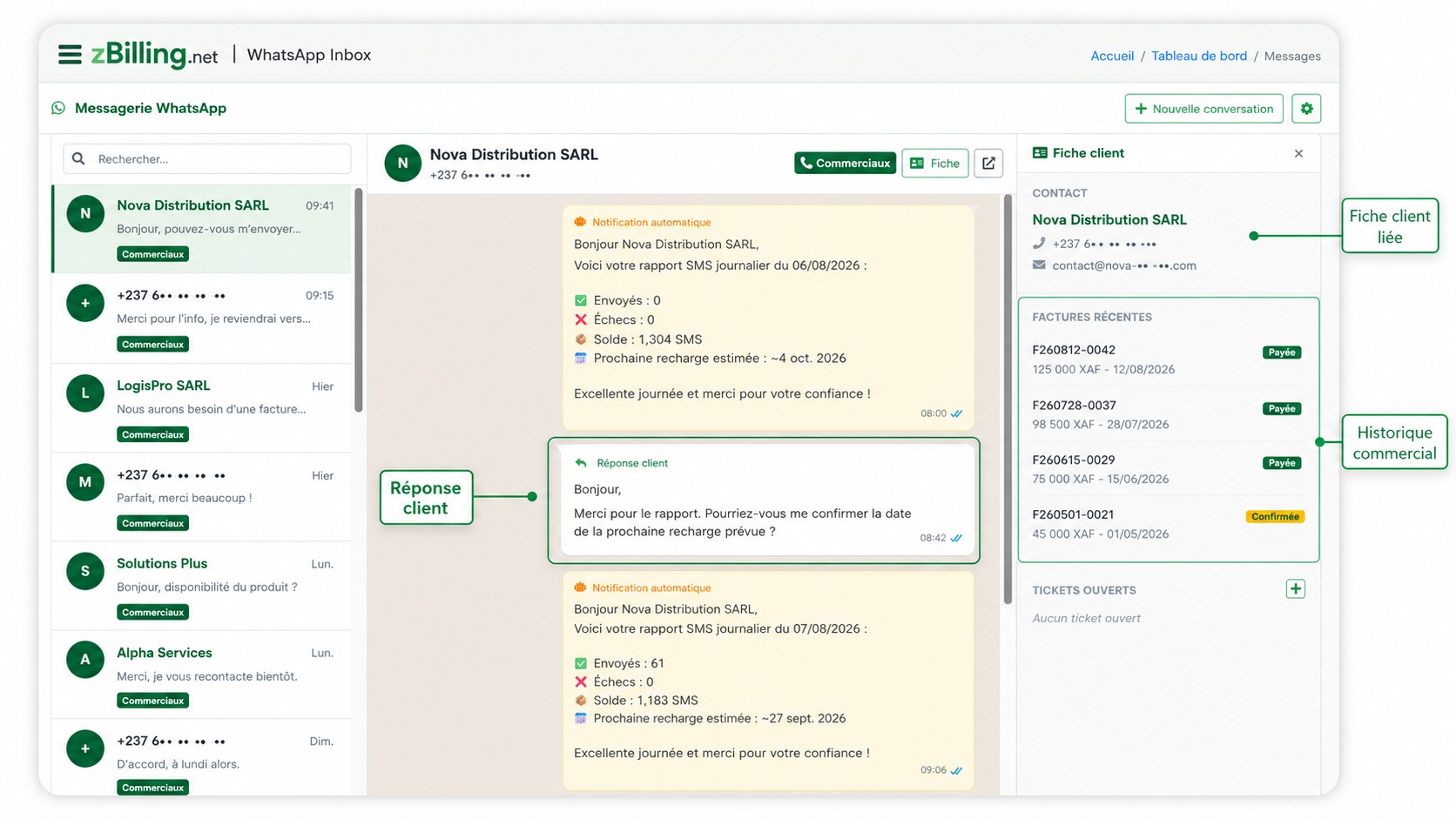
A customer who replies to your campaign doesn't disappear into an isolated WhatsApp thread on a phone. Their reply arrives in zBilling.net's WhatsApp inbox, linked to their contact and their business history. You can then continue the conversation directly from zBilling.net — your reply goes back to the customer on WhatsApp, just like a normal conversation.
Let your customers know about a discount, clearance sale, special offer or limited-time promotion.
Exceptional closure, new hours, address change, temporary unavailability or practical information.
Reconnect with customers who haven't ordered in a while.
Announce a new product, a new service, a new branch or a new store.
Opening, open house, flash sale, training, demonstration or business event.
Send a thank-you message, a small attention for regular customers, or an end-of-year message.
zBilling.net processes messages gradually in the background and lets you follow your campaign's progress in real time. You launch your campaign, the platform then handles running it.
WhatsApp campaigns are meant for customers and prospects who have agreed to receive your communications. zBilling.net doesn't supply or sell phone number lists: you use your own contact base.
A relevant contact base is worth more than a long list of numbers who don't know you.
WhatsApp campaigns are part of zBilling.net's Communication module. This module also lets you receive incoming conversations and reply to customers from the interface. The same inbox receives the replies to your campaigns — your customer relationship doesn't end once the message is sent.
Your customer is already in zBilling.net. You can now talk to them without leaving your management environment.
Create your account, select the contacts concerned and launch your first campaign in a few minutes. Prefer some guidance before you start? Request a demo and see how zBilling.net works with our team.
Demo recommended · Free 7-day trial · No credit card required

Launch a campaign in a few steps.
Create your campaign
Name it so you can find it and track its results.
Compose your message
Write your text and add an image when your message needs it.
Choose the recipients
Combine several sources — contacts, groups or existing conversations — without risking sending the same message twice to the same person: duplicates are removed automatically.
Check and launch
Review your message and the selected recipients before starting the send.
Track the results
See the campaign's progress and each recipient's status.